
Every order paid with crypto at Androbolics gets an automatic 10% discount, and the order confirms the moment the network does, with no waiting on manual payment verification. The only catch: you need crypto. If you’ve never bought any, this guide takes you from zero to paid-with-crypto in about ten minutes, using Canadian platforms, your regular bank account, and the same Interac e-Transfers you already use.
One honest note up front: setting this up takes longer than sending a single e-Transfer. You’re doing it for the discount that applies to this order and every order after it. On a $150 order, 10% is $15 back for ten minutes of setup you only do once. After that, paying with crypto is faster than e-Transfer, not slower.
What you need
- A Canadian bank account with Interac e-Transfer (you have this)
- A government photo ID, for the exchange’s one-time identity check
- Ten minutes
Buying crypto in Canada is fully legal and regulated. Platforms like Shakepay and Newton are registered with FINTRAC and the securities regulators, which is exactly why they can take your e-Transfer and have coins in your account minutes later.
Step 1: Pick your platform
Two good Canadian options. Both fund by Interac e-Transfer and both verify your identity once, in-app, in a few minutes.
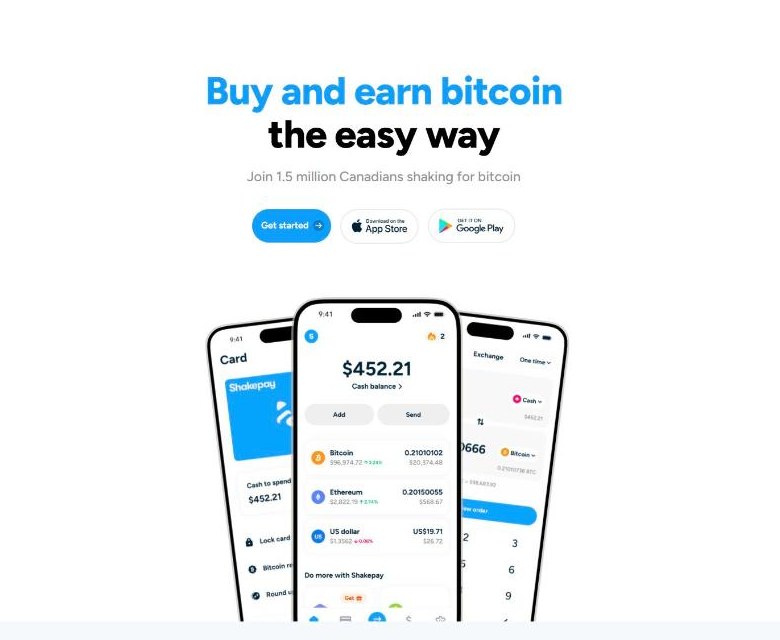
Shakepay is the simplest crypto app in Canada, used by over a million Canadians. It only sells Bitcoin and Ethereum, which is all you need, since our checkout takes both. If you just want the discount with the least learning curve, use Shakepay.
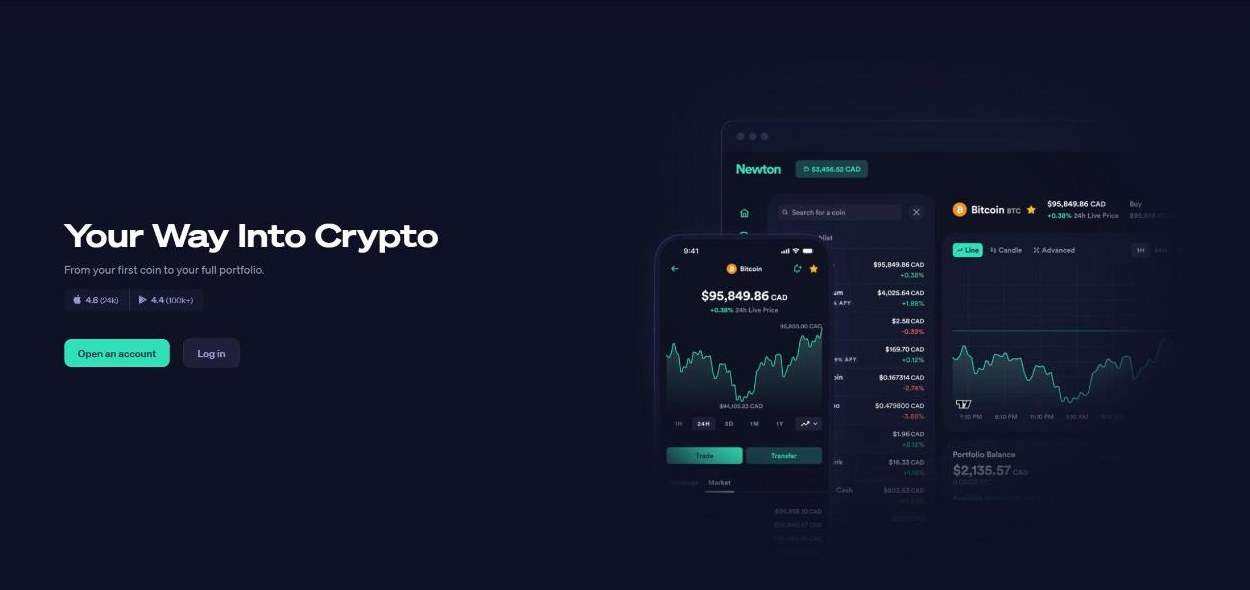
Newton supports far more coins, including Litecoin and stablecoins. Litecoin is worth knowing about: its network fee is a few cents, compared to a few dollars for a Bitcoin transaction, and our checkout accepts it. If you don’t mind a slightly busier app, Newton plus Litecoin is the cheapest way to pay.
Sign up on either one’s website or app, confirm your email and phone, and complete the identity check with your photo ID. The check is usually approved in minutes.
Step 2: Add money by Interac e-Transfer
In the app, choose to add or deposit Canadian dollars and pick Interac e-Transfer. The app walks you through sending the transfer from your bank, the same way you’d pay anyone by e-Transfer. Funds typically show up in your account within a few minutes.
How much to add: your order total plus a small buffer. Add about 3% on top of your cart total to cover the exchange’s spread and the network fee when you send. For a $150 order, add around $155. Anything left over stays in your account for next time.
Step 3: Buy the coin
Tap Buy, pick the coin, enter the dollar amount, confirm. That’s genuinely the whole step. On Shakepay buy Bitcoin. On Newton, Litecoin if you want the lowest fees, or Bitcoin if you prefer the familiar name.
You now own crypto. You don’t need to understand charts, wallets, or anything else the apps show you. You’re using it as a payment method, not an investment.
Step 4: Place your order and pay
Head to the catalogue, build your cart, and at checkout choose Cryptocurrency as the payment method. The 10% comes off your total instantly, right on the page. Pick the coin you bought in the coin grid.

Slide to place the order and you land on your personal payment page: an exact coin amount, an address, and a QR code.
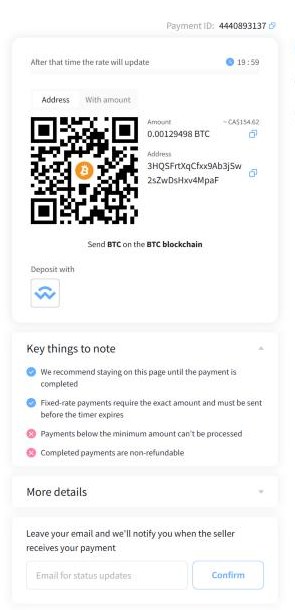
Back in your exchange app, choose Send (or Withdraw), paste the address or scan the QR, and send the exact amount shown. Three details matter here:
- Send the exact amount on the payment page. Your app may add its network fee on top; that’s fine, as long as the amount that arrives matches. If the app asks whether fees come from the amount or on top, choose on top.
- Match the network to the coin you picked. If the payment page says BTC, send Bitcoin on the Bitcoin network. If it says Litecoin, send Litecoin. Never send one coin to another coin’s address.
- Mind the timer. The payment page locks your rate for about 20 minutes. Sending right away keeps the amount valid. If it expires, just return to checkout and create a fresh order.
Once the network confirms, your order flips to processing automatically and the confirmation email lands in your inbox. Nobody manually checks anything, nothing is held for review, and the discount is already applied.
Already have crypto somewhere?
Then skip everything above: pick Cryptocurrency at checkout, choose your coin (we take BTC, ETH, USDT, USDC, XMR, LTC, SOL and 300+ more), and pay from whatever wallet or exchange you already use. Monero works too, for those who prefer it.
Crypto payment FAQ
Is buying crypto legal in Canada?
Yes. Platforms like Shakepay and Newton are FINTRAC-registered and regulated. Millions of Canadians use them. Buying crypto with your own money is no different legally than buying any other asset.
How long does the whole thing take?
First time: about ten minutes for signup and verification, a few more for the e-Transfer to land. Every order after that: about two minutes, which is faster than sending an e-Transfer and waiting for manual verification.
What’s the cheapest coin to pay with?
Litecoin and Solana have network fees of a few cents. Bitcoin’s fee varies and can be a few dollars. All of them still come out far ahead once the 10% discount is counted.
What if I sent slightly too little?
The payment page flags partial payments instead of confirming. If that happens, contact us with your order number and we’ll sort it out manually.
Do I have to keep crypto between orders?
No. Most customers top up right before ordering. Whether you hold any beyond that is entirely up to you; the discount works either way.
Why do you give 10% off for crypto?
Crypto payments confirm themselves, can’t be disputed, and save us the manual work that e-Transfers need. We pass those savings on, and it’s the same reason the discount isn’t going anywhere.